Submit General or Special Purpose Financial Acquittals
 Report on special purpose financial acquittals
-
From the P2i Main Dashboard, select
 Acquittals > Acquittals Dashboard.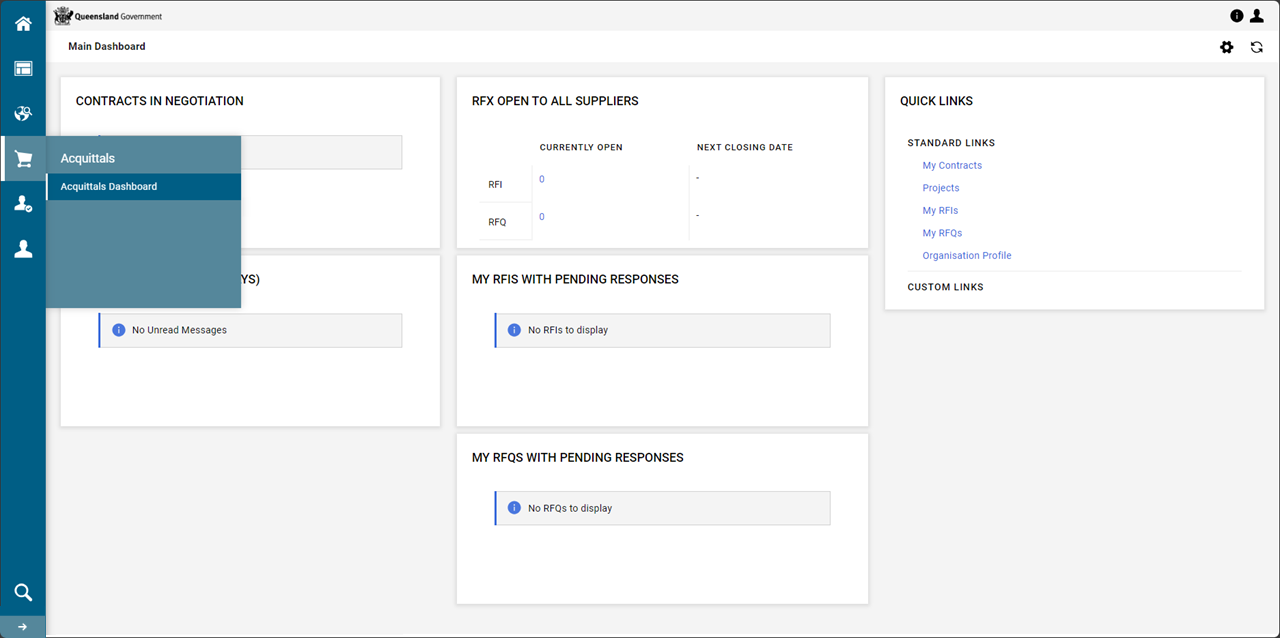
-
Click
 Special Purpose Financial Acquittal app.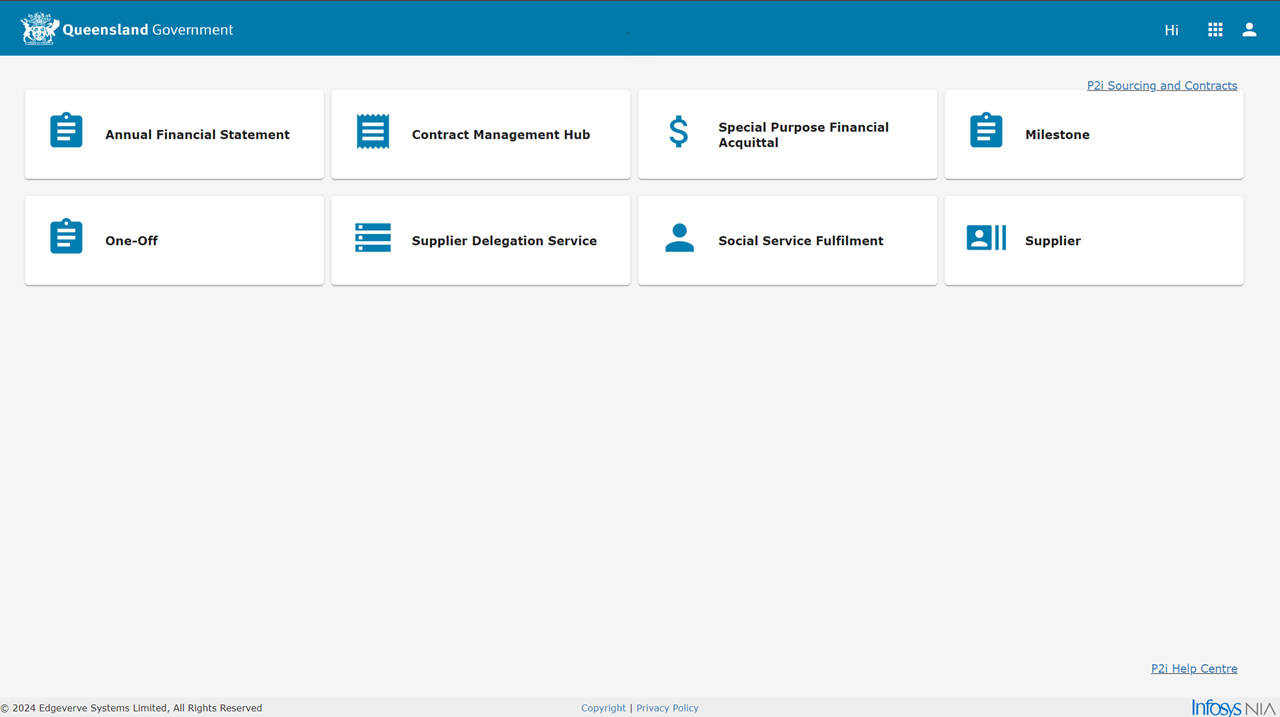
-
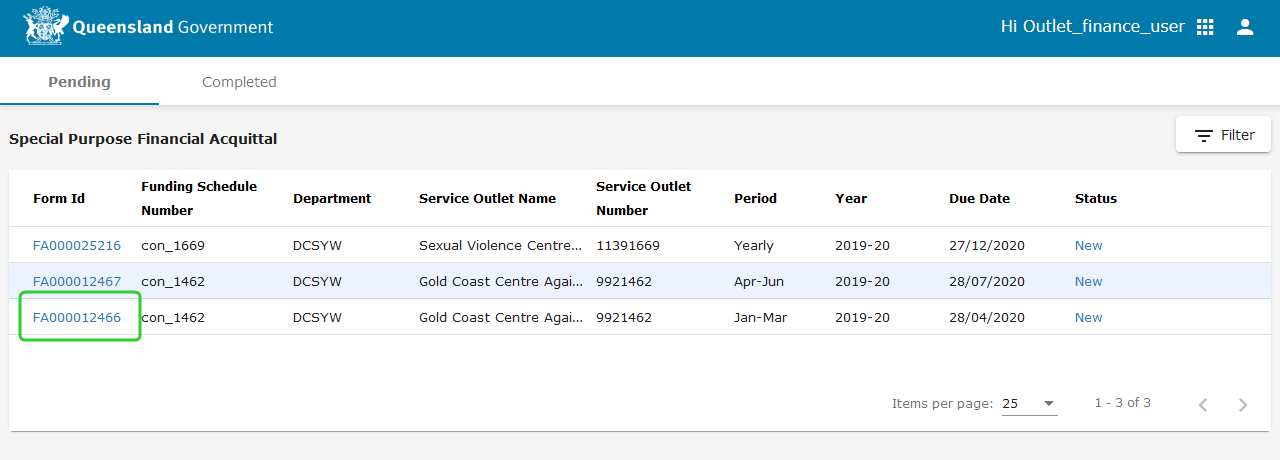
Click the Form Id number (i.e. FA0000XXX) against the appropriate line item for the Special Purpose Financial Acquittal to be submitted.
Note Special Purpose Financial Acquittals for each Service Outlet display in the Pending list with a Due Date and Status.
-
Review the notes prior to completing the financial acquittal.

- Click View Previous Forms to see previous Special Purpose Financial Acquittals submitted for this service outlet.
-
Enter the Annual Approved Funding Amount $ in the Preparer Details section - this is a mandatory field.

-
Enter the Income and Expenditure amounts in the Statement Of Income And Expenditure section using whole dollar values only - this is a mandatory field.
Tip Refer to the Notes for guidance.

-
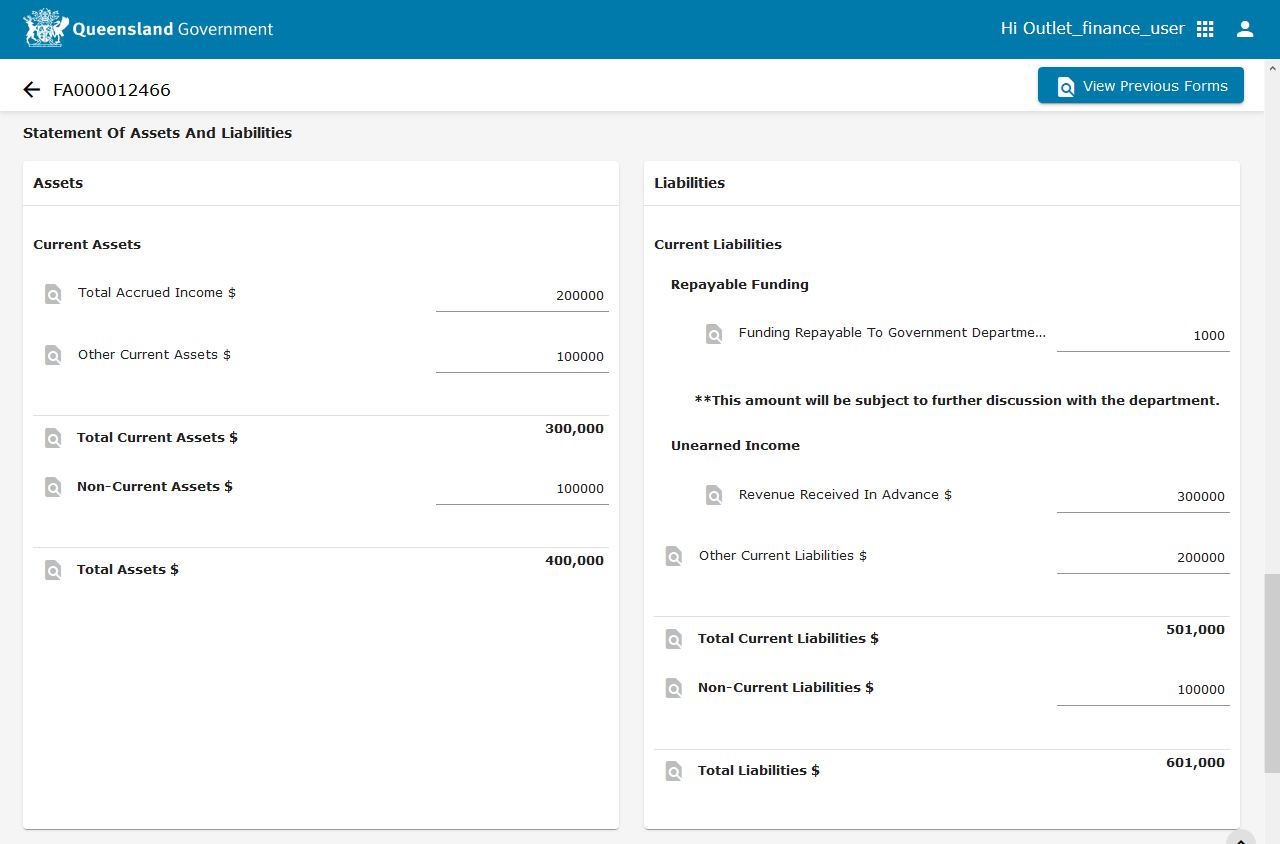
Enter the Assets and Liabilities amounts in the Statement Of Assets And Liabilities section using whole dollar values only.
Tip Refer to the Notes for guidance.
-
Enter any notes in the Comments section.
-
Upload any supporting documents in the Attachments section. Any comments and attachments will be visible to the Department.
Tip A maximum of 10 attachments can be uploaded for each financial aquittal. The following requirements apply:
-
Valid file types that can be uploaded are PDF, Word Documents (docx/doc), Images (png, jpeg,) Spreadsheets (xls/xlsx/csv) and PowerPoint Presentations (ppt/pptx).
-
A filesize limit of 10MB exists.
Note Ensure the report/s being uploaded DOES NOT contain Funded Organisation's client data (i.e. confidential details). Please redact BEFORE uploading.
-
-
Click Save.
Tip This saves your work prior to submitting the Financial Acquittal to your Director for approval.
-
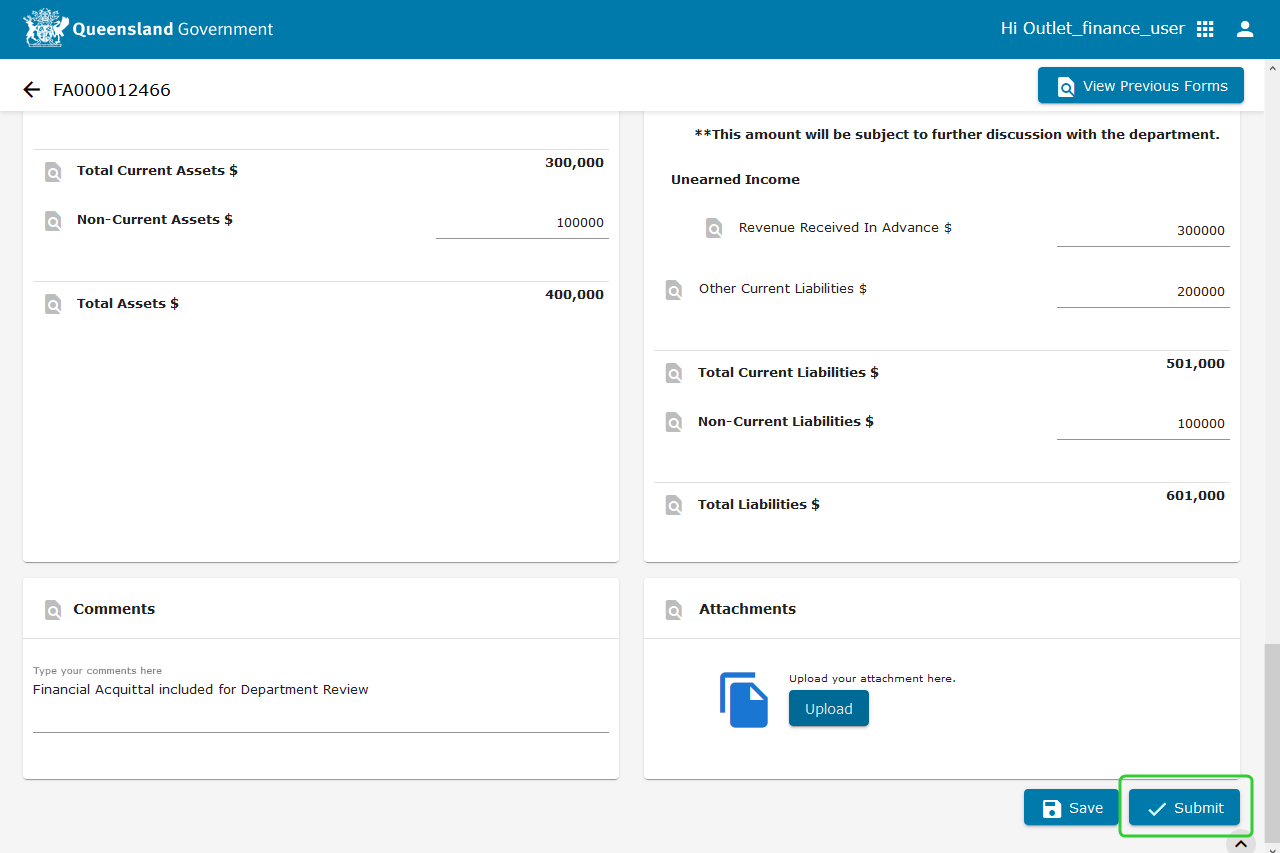
Click Submit when you are ready to have the Financial Acquittal approved by your Director.
Note The submit button will appear greyed out until all mandatory fields have been completed. Once all information is entered the button will become active.
-
Select your Organisation Director.
-
Add any Comments required. These comments will only be visable to the designated approver (ie. Organisation Director).
-
Click Send for Approval.

Note Your submission has been completed and sent for approval. A notification is sent to the Organisation Director to inform that the report is ready for approval.
-
Click Go to Completed.

-
The status of the line item will appear as Pending Director Approval.

Submitting an Excel Spreadsheet
In addition to the web form, you may also use an Excel Spreadsheet to submit financial acquittals:
-
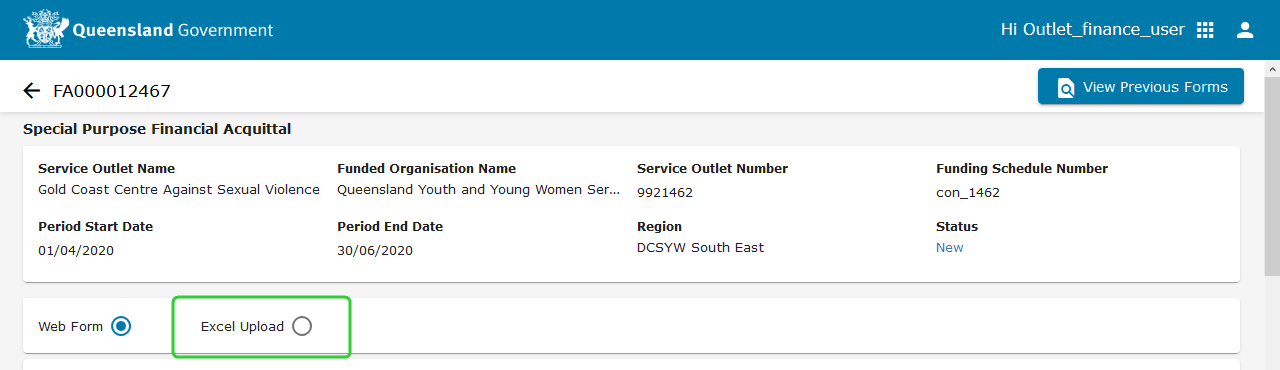
Select Excel Upload.
-
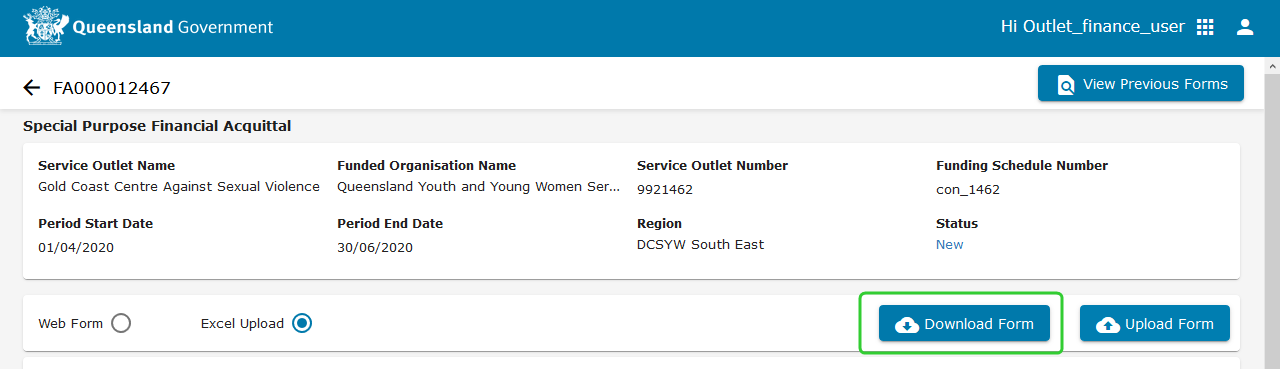
Click the Download Form button.
-
Open the form when prompted.
-
Enter all amounts using whole dollar values only.
-
Save the file to a location you can upload from (e.g. your Desktop).
-
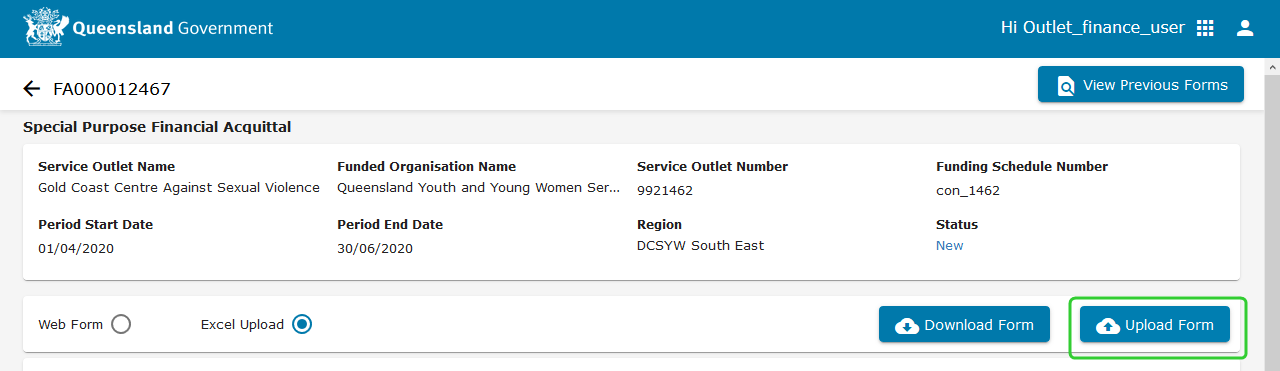
Click Upload Form.
-
Select the file from the save location and click Open.
-
Scroll down to review and amend the values if required - there are mandatory fields to be completed.
-
Enter any explanatory notes in the Comments section.
-
Upload any supporting documents in the Attachments section.
-
Valid file types that can be uploaded are PDF, Word Documents (docx/doc), Images (png, jpeg,) Spreadsheets (xls/xlsx/csv) and PowerPoint Presentations (ppt/pptx).
-
A filesize limit of 10MB exists.
-
Note Ensure the report/s being uploaded DOES NOT contain Funded Organisation's client data (i.e. confidential details). Please redact BEFORE uploading.
-
Click Submit when you are ready to submit the AFS.
Note The submit button will appear greyed out until all mandatory fields have been completed. Once all information is entered the button will become active.
-
Select your Organisation Director. Add any comments you wish to make (optional). These comments will only be visable to the designated approver (i.e. Organisation Director).
Note These comments are only visible you the approver.
-
Click Send for Approval.
Note Your submission has been completed and sent for approval.
-
Click Go to Completed.
-
The status of the line item will appear as Pending Director Approval.

Tip A maximum of 10 attachments can be uploaded for each financial aquittal. The following requirements apply:
Note The Organisation Director can now approve the Special Purpose Financial Acquittal for submission to the Department. Refer to Approve General or Special Purpose Financial Acquittals.